

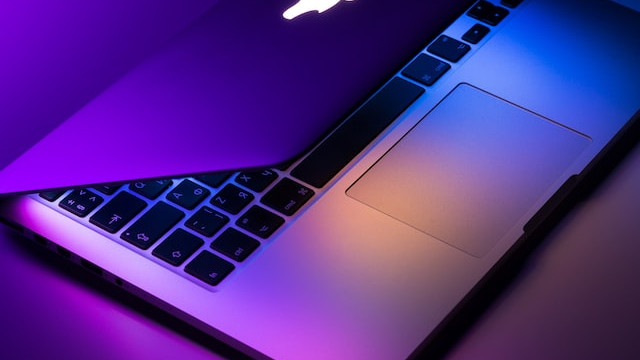
MacBook is a line of laptops developed and produced by Apple Inc. First introduced in 2006, MacBooks are known for their sleek design, cutting-edge technology, and reliable performance. They are popular among professionals and students alike, and are considered to be some of the most high-end laptops available in the market.
MacBooks come in a variety of models, including the MacBook Air, MacBook Pro, and MacBook. The MacBook Air is the thinnest and lightest model, making it ideal for people who are constantly on-the-go. The MacBook Pro is known for its powerful processing capabilities and high-quality display, making it a favorite among content creators and professionals. The MacBook, on the other hand, is the most affordable model, making it a popular choice among students and casual users.
One of the key features of MacBooks is their operating system, macOS. macOS is known for its intuitive interface and advanced features, including the Siri voice assistant, iCloud storage, and the ability to seamlessly integrate with other Apple products such as iPhones and iPads. Additionally, MacBooks are known for their long battery life, which can last up to 12 hours on a single charge.
Overall, MacBooks are considered to be premium laptops that offer top-of-the-line performance and sleek design. They are a popular choice among professionals, students, and casual users alike, and are often used for tasks such as photo and video editing, programming, and general productivity.
MacBooks have become an essential tool for many people, whether it's for work or leisure. However, one of the most frustrating things that can happen is when your MacBook suddenly stops charging. This can happen for several reasons, but fortunately, there are ways to troubleshoot and fix the issue. In this article, we'll discuss some of the common reasons why MacBooks may not be charging and provide solutions to help you resolve the issue.
Check the Power Adapter and Cable
The first thing you should do is check the power adapter and cable. Make sure the cable is properly connected to the power adapter and the MacBook. If the connection is loose or the cable is damaged, it can prevent the MacBook from charging. Try using a different cable or adapter to see if the issue is resolved.
Reset the SMC
The SMC (System Management Controller) is responsible for controlling power management functions on your MacBook. If the SMC is not working correctly, it can cause your MacBook to stop charging. To reset the SMC, follow these steps:
Shut down your MacBook.
Connect the power adapter to your MacBook.
Press and hold the Shift + Control + Option keys on the left side of the keyboard and the Power button simultaneously.
Release all keys and the power button at the same time.
Turn on your MacBook.
Check the Battery Health
If your MacBook is not charging, it may be due to a problem with the battery health. Over time, batteries degrade, and their capacity to hold a charge decreases. You can check the battery health of your MacBook by clicking on the Apple logo in the top-left corner of the screen, selecting "About This Mac," and then clicking on "System Report." Under the "Hardware" tab, click on "Power." Here you'll find information about your battery's cycle count and condition.
Check for Software Updates
Sometimes, software updates can help fix issues with your MacBook not charging. Make sure that your MacBook is running the latest version of macOS by clicking on the Apple logo in the top-left corner of the screen, selecting "System Preferences," and then clicking on "Software Update." If an update is available, click on "Update Now" to install it.
Clean the Charging Port
Dirt, dust, and debris can accumulate in the charging port of your MacBook, preventing it from charging correctly. Use a soft, dry brush or toothbrush to gently clean the charging port. Be careful not to damage the port or get any moisture inside.
Contact Apple Support
If none of the above solutions work, it's possible that there may be a hardware issue with your MacBook. In this case, you should contact Apple Support or take your MacBook to an authorized Apple Service Provider for further assistance.
In conclusion, if your MacBook is not charging, there are several possible solutions you can try. Check the power adapter and cable, reset the SMC, check the battery health, check for software updates, clean the charging port, and contact Apple Support if necessary. By following these steps, you can troubleshoot and fix the issue, and keep your MacBook running smoothly.