

A computer usually functions well until it malfunctions. The particular issues may differ, but in some cases, it may be due to insufficient storage space or slow retrieval of data. Despite these problems, the computer still performs well overall. Upgrading the storage drive can often resolve these problems, but how can you tell if it's the appropriate time to do so other than when the drive completely fails? After all, replacing a component can be both time-consuming and expensive. Before you start disassembling your computer and spending money, consider asking yourself these questions first.
Can you clear files?
In case you're running low on storage space, you can transfer some files to a different location like a cloud or a secondary drive. However, it's still essential to have a reliable backup system. The techniques you apply may help you avoid the need to replace your computer's boot drive. For instance, using an external hard drive, cloud storage, and cloud backup services, you can increase your PC's storage capacity and backup your data without tampering with its internal components
Is your drive slow?
A storage drive's sluggishness may result from two primary causes: nearing capacity or being a hard drive.
When a solid-state drive (SSD) or hard disk drive (HDD) approaches full capacity, it can start to exhibit lag when opening files, saving documents, and performing other tasks that involve interacting with the storage drive. This issue does not affect all SSDs, but older or less expensive models may be susceptible to it.
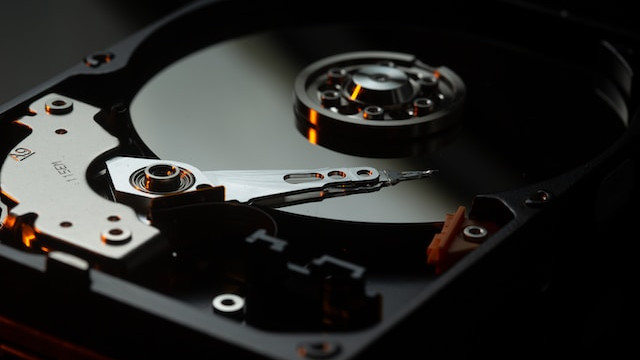
However, hard disk drives, in particular, suffer from this problem. As they fill up, the data gets written to areas that take longer to access, and the blocks of data for a single file start getting written to different areas of the disk. Imagine storing items in an apartment, where the first items you moved in are closest to the front door, and the last ones are farthest away. Meanwhile, as you get rid of unwanted items, you start storing bits of what you need in the available space. If you enter your home to find a specific outfit, you may have to search deeper into your place (and/or spend extra time locating each item) before you can leave with everything in hand.
One way to "fix" the sluggishness is by not using the full capacity of the disk, staying below around 15 to 20 percent of its maximum capacity. If that's not feasible, you can try using tools like TRIM for an SSD or disk defragmenter for an HDD.
.Are you using an HDD as your boot drive?
When comparing hard disk drives (HDDs) and solid-state drives (SSDs), the latter appears as fast as a hare in comparison to the former. HDDs' sequential read and write speeds typically range from 80MB to 160MB per second, whereas average SSDs start at speeds of 400MB to 500MB per second and can climb as high as 10,000MB per second. Even poorly performing SSDs that can drop as low as 200MB per second can surpass HDDs.
Although a hard disk drive's slower speed is acceptable when you don't need to interact with it frequently, if you have an HDD as your boot drive, you'll feel its sluggishness every time you use your computer for anything. Load times for Windows, applications, and documents are all impacted.
Upgrading to a modest SATA SSD can make a significant difference—for an older PC, the transition can make it feel like a completely new computer. Moreover, it doesn't have to be expensive. If you catch a 1TB SSD on sale, it's nearly the same price as a 1TB HDD.
How old is your drive?
All computer components, including storage drives, have a limited lifespan. The time when you need to replace your current components with new ones is just a matter of time.
However, if you can't afford downtime or want to reduce the amount of hassle it'll take to recover your files from backups, pay attention to your drive's behavior. You may notice warning signs that it's about to fail.
Moreover, consider its age (or, more accurately, its usage). Is it approaching the point where it may reach the maximum number of read and write cycles? If you've used it heavily or simply run it for many years, it may be worthwhile to upgrade and switch to a newer (and most likely larger) drive.